UI System
from a style guide to Enliven Design System 2.0
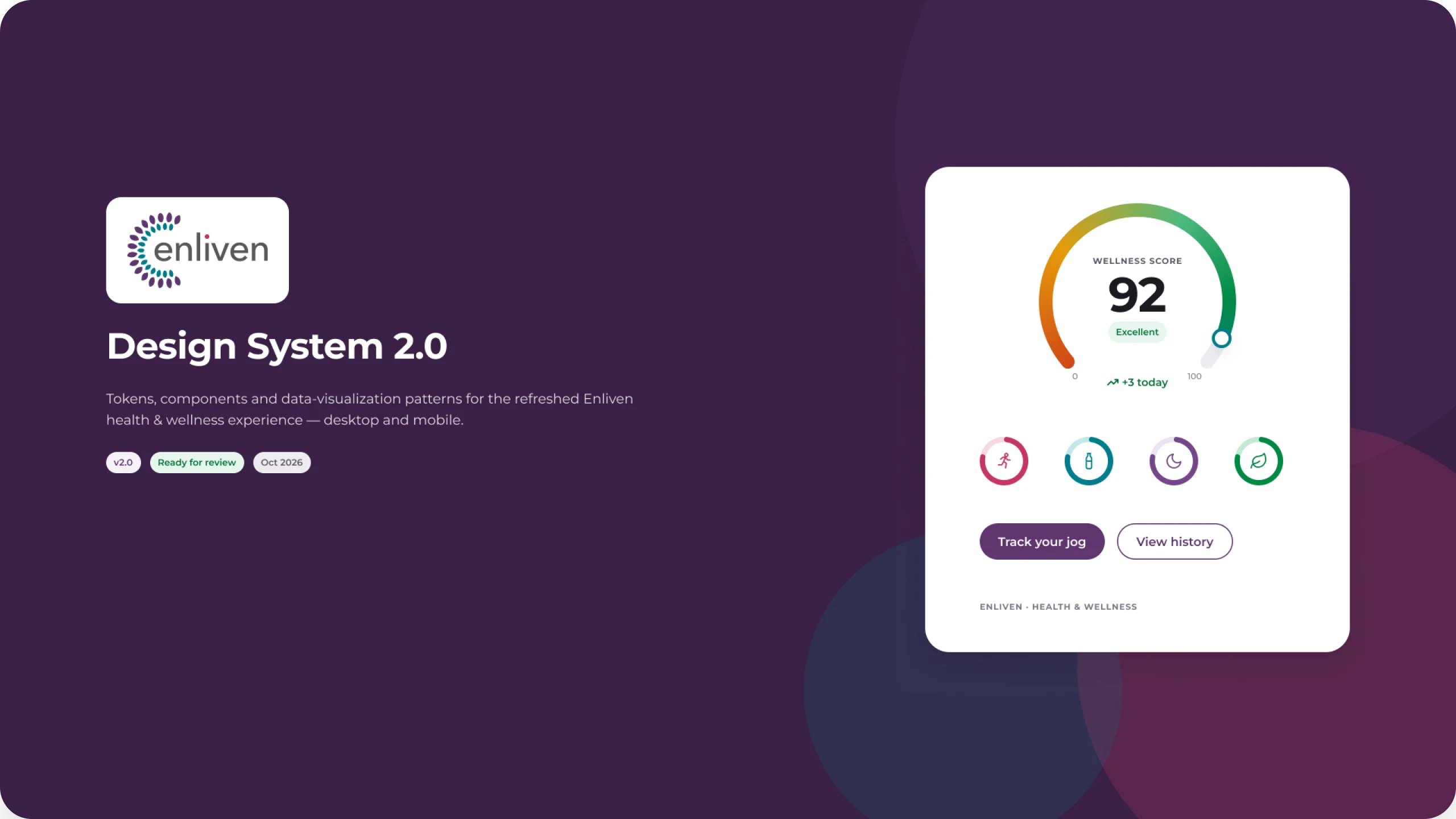
A design system that started as a shared UI guide, with colors named by their job instead of their hue, so engineers could re-theme one codebase for every client. I recently rebuilt it as Enliven Design System 2.0: a token-driven Figma library with light and dark modes, accessible components, and data visualization built in.
The challenge
Every client wanted its own brand. Engineering wanted one codebase.
Enliven was re-skinned for every employer that bought it, and later for Medicaid and Medicare programs. Without shared rules, each new brand meant designers redrawing screens and engineers rebuilding the same buttons, fields, and colors again.
The system had to keep every product consistent and accessible, let a new client’s brand drop in without touching components, and give design and engineering a single reference to work from.
Where it started · Five roles
Colors named by their job, not their hue.
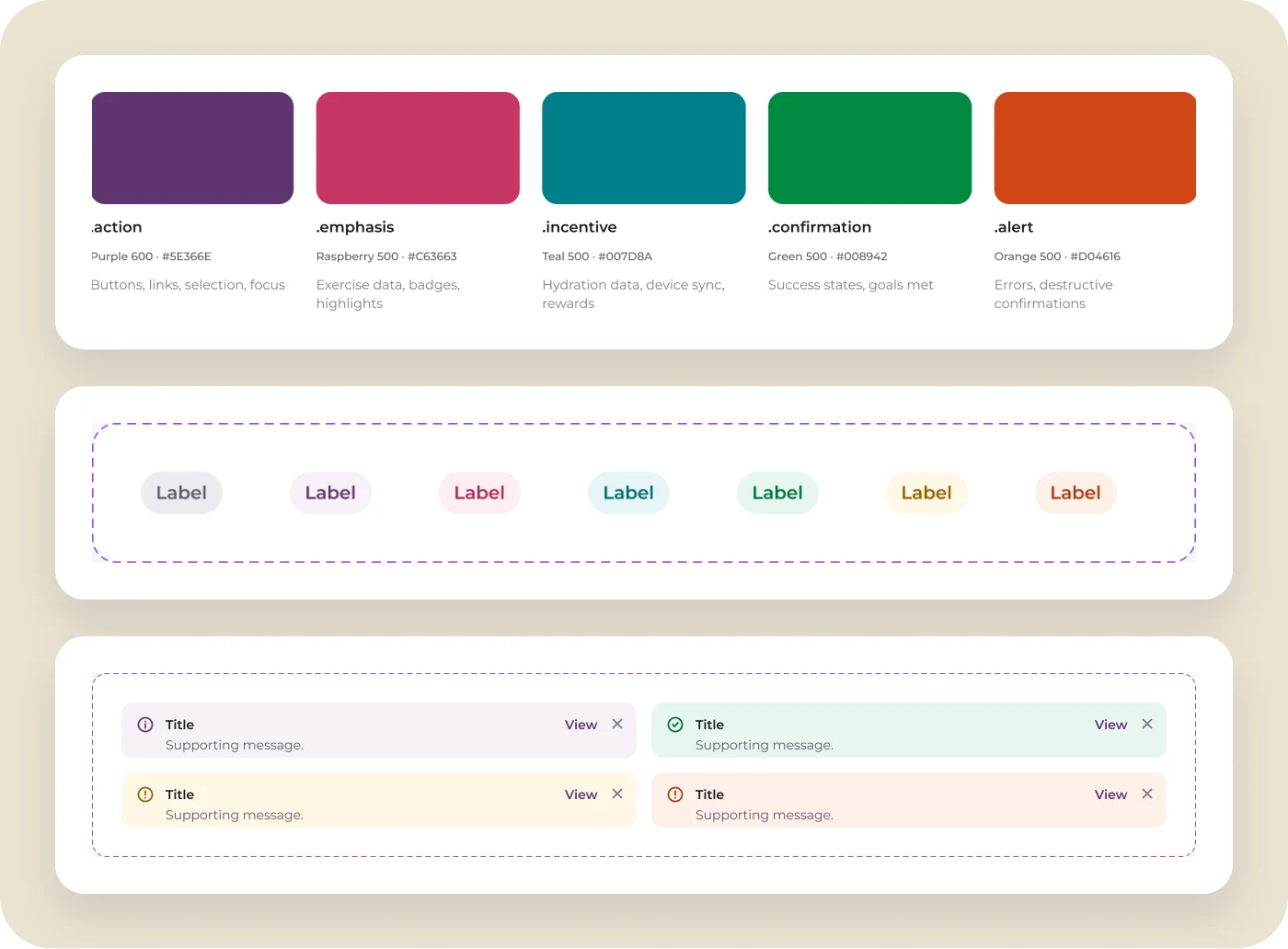
The original guide defined five roles (action, emphasis, incentive, confirmation, and alert) and mapped each to a CSS class. A new client meant new values for five classes, not new components. Those same five roles still drive every chip, banner, and state in 2.0.
Version 2.0 · By the numbers
One library, every screen
What changed in 2.0
Four decisions that shaped it
ROLES, NOT COLORS
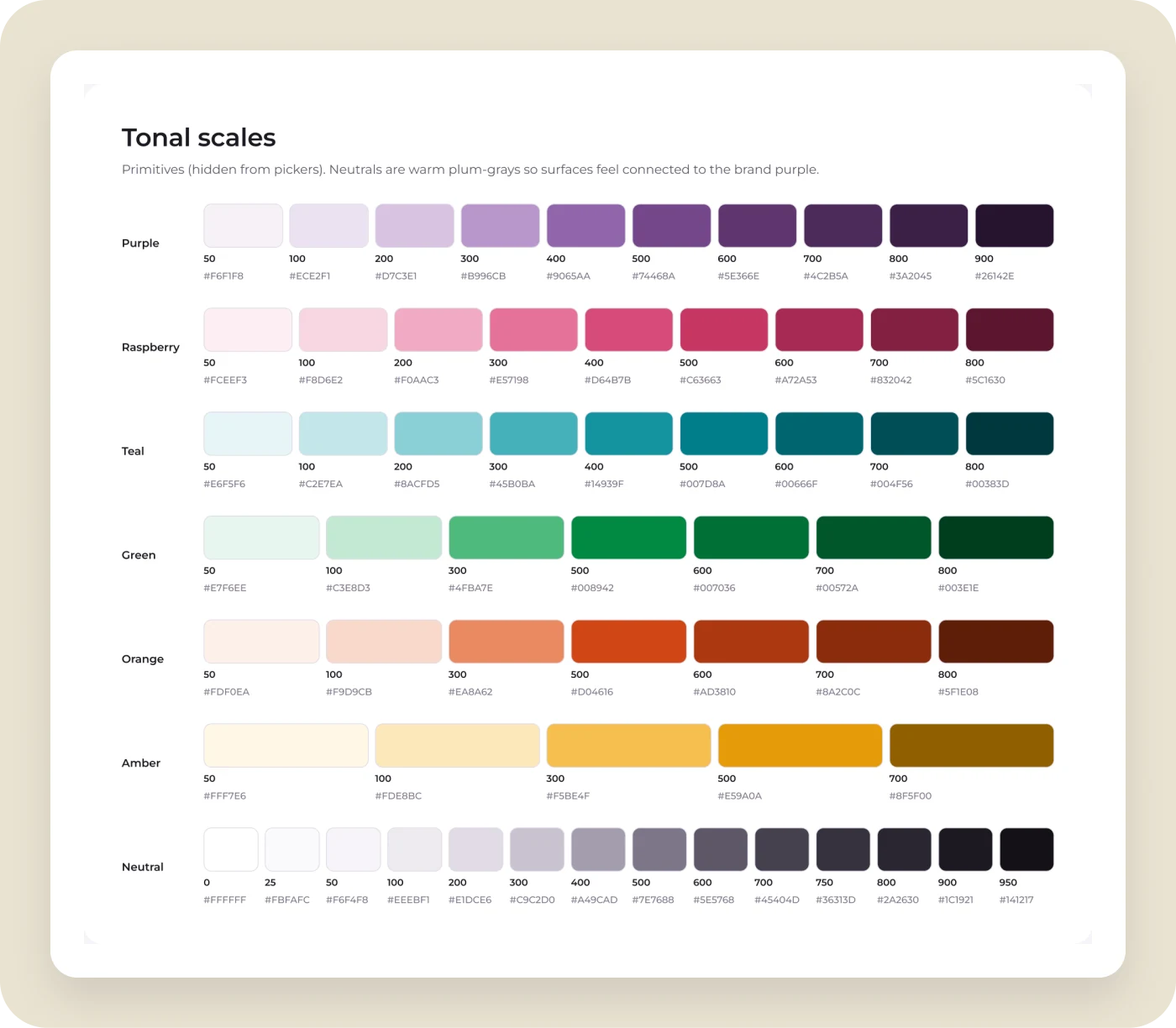
The five original roles became full tonal scales.
2.0 keeps action, emphasis, incentive, confirmation, and alert, then expands each into a tonal scale with warm plum-gray neutrals. Designs use semantic tokens such as background, text, border, and data, never raw values, so a new brand or dark mode changes the tokens and nothing else.
TYPOGRAPHY
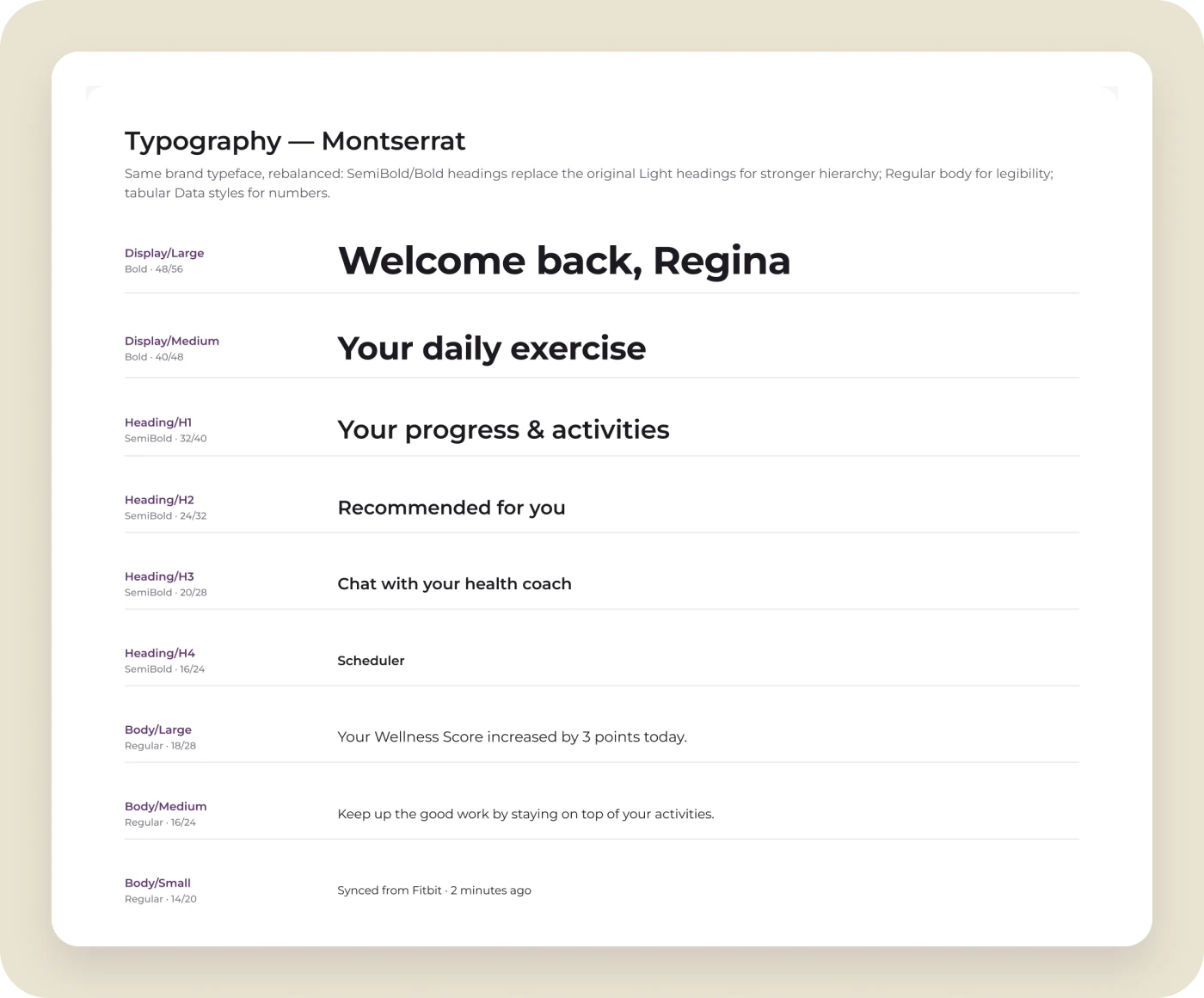
Same typeface, stronger hierarchy.
The brand kept Montserrat, but light headings gave way to SemiBold and Bold for clearer hierarchy, with Regular body text for legibility. Dedicated data styles with tabular numbers keep scores, stats, and chart axes aligned.
ACCESSIBLE COMPONENTS
Bigger targets and states you can see.
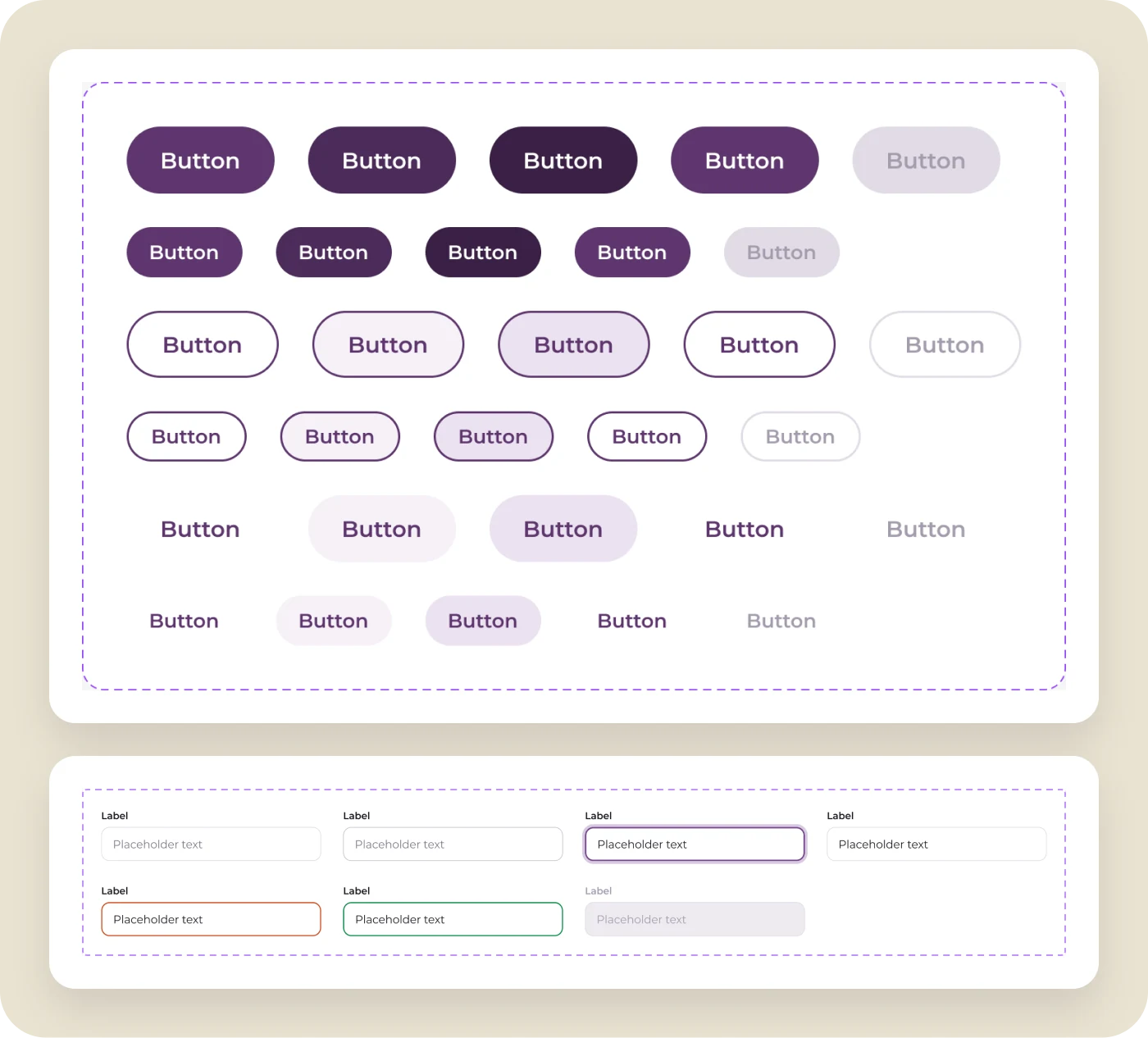
Underlined fields became 48px outlined inputs with persistent labels and clear focus, error, and success states. Buttons are pill-shaped at 48px and 36px, with purple reserved for actions, and every component carries a visible focus ring.
DATA VISUALIZATION
Every health domain owns a color.
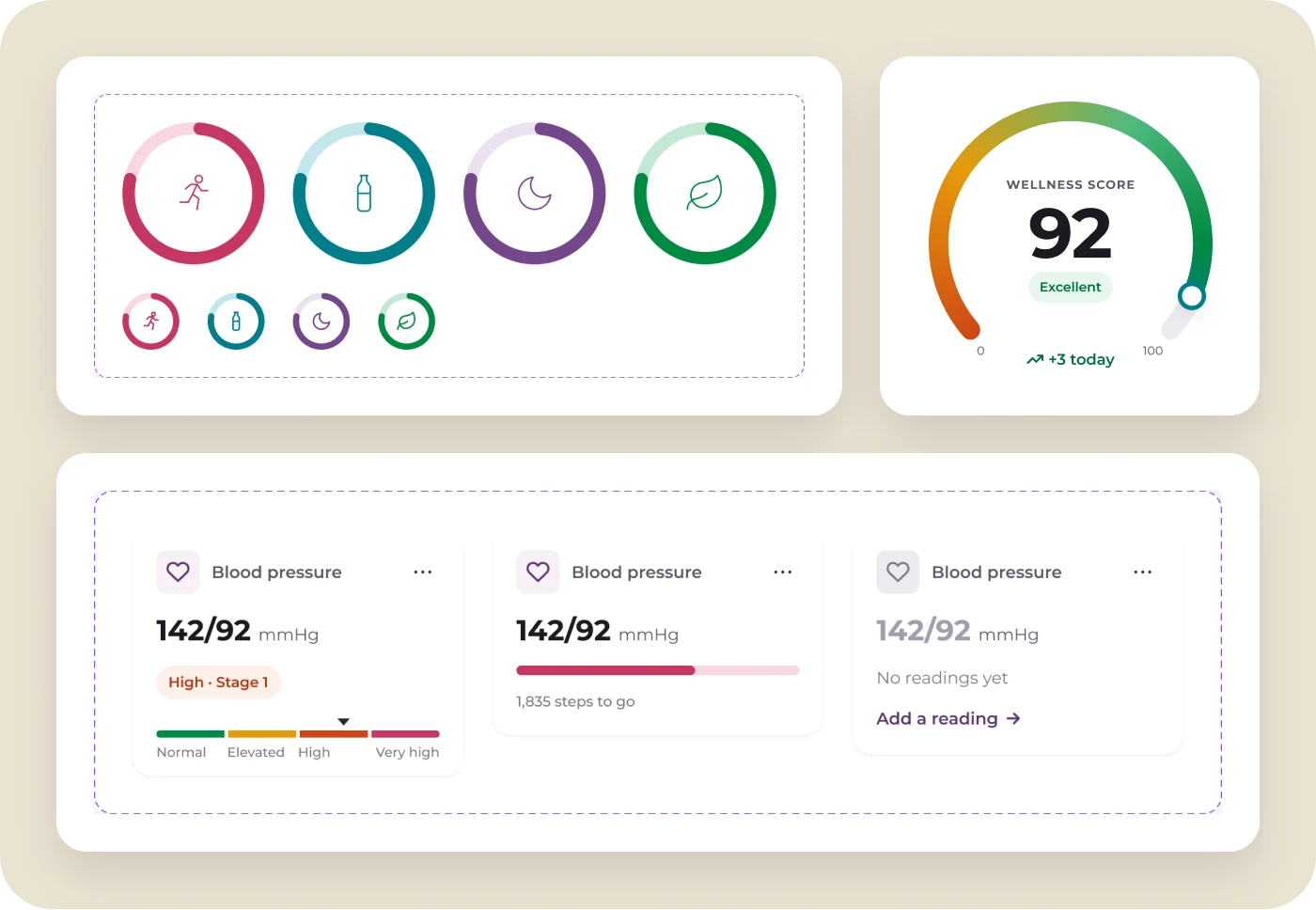
Exercise is raspberry, hydration is teal, sleep is purple, and nutrition is green, everywhere they appear. Progress rings, the wellness score gauge, range bars, and metric tiles are real components, so a chart in the app and a chart in the library are the same thing.
In the product
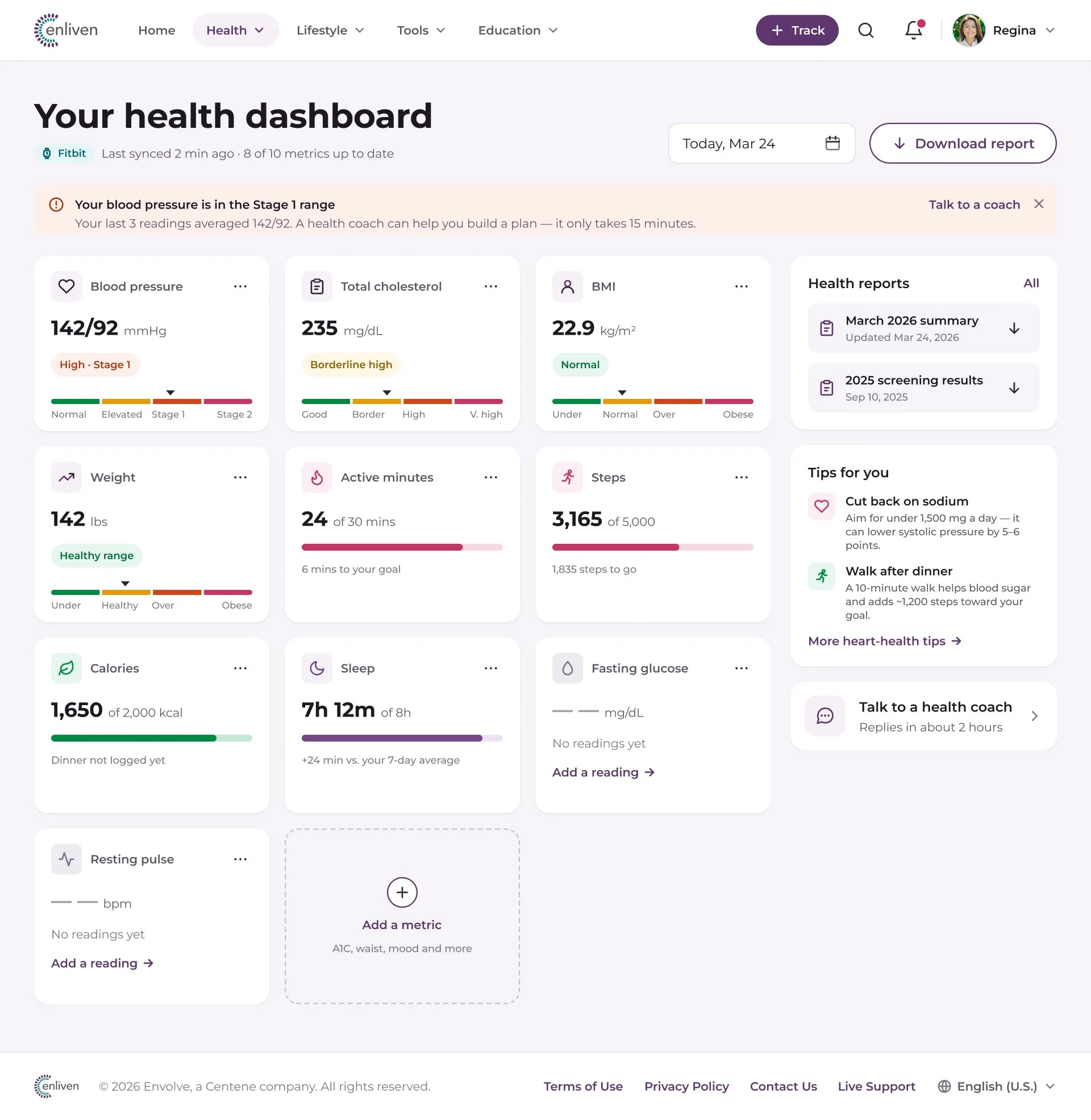
Every refreshed Enliven screen is built from the published library.
Components, variables, and styles stay linked, so a token change in the library updates the dashboard, the exercise tracker, and every other screen at once.

Outcome
The original guide became the foundation for every web and mobile product the team shipped. Version 2.0 carries the same roles forward into a library that powers the refreshed Enliven experience, on desktop and mobile, in light and dark.
Name things by their job
Because colors were named by purpose, the original five roles survived a full redesign. The values changed; the meaning didn’t.
A system is a product
The library has users, states, and documentation, just like the app. Writing the usage notes beside every component is what made teams actually use it.
Next case study — 04